


I recently purchase a Ulanzi Dial for media production and I’m extremely impressed with it. Used in conjunction with a mouse it vastly improves the speed and comfort of video editing, mostly because of the dial.
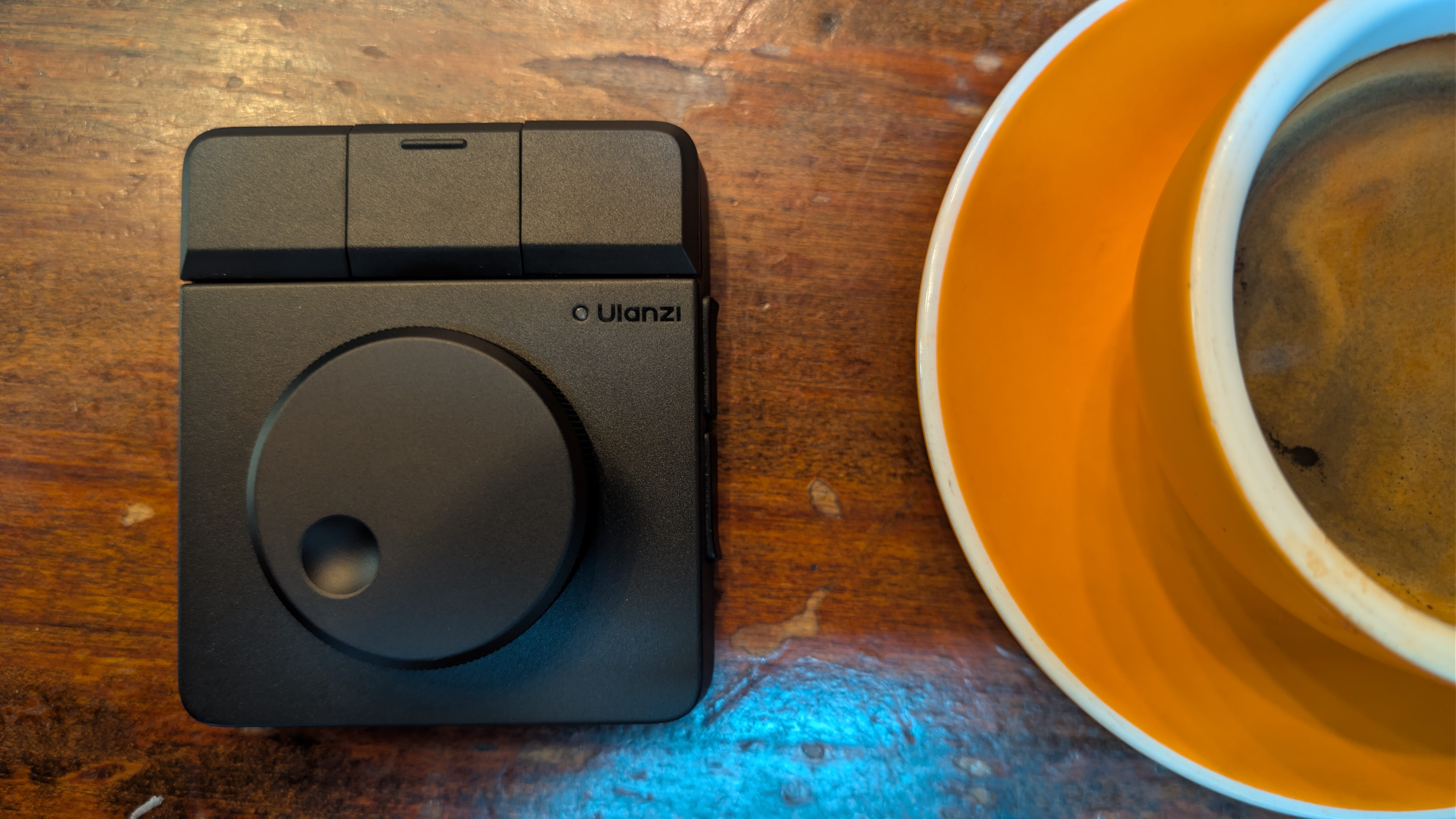
The dial has haptic feedback which makes scrubbing back and forward on the timeline easier and more accurate. The buttons (it has seven) are linked to common editing functions. The behavour is configured in Ulanzi’s proprietary app which includes loadable presets for a variety of popular applications including my editor of choice, Davinci Resolve.
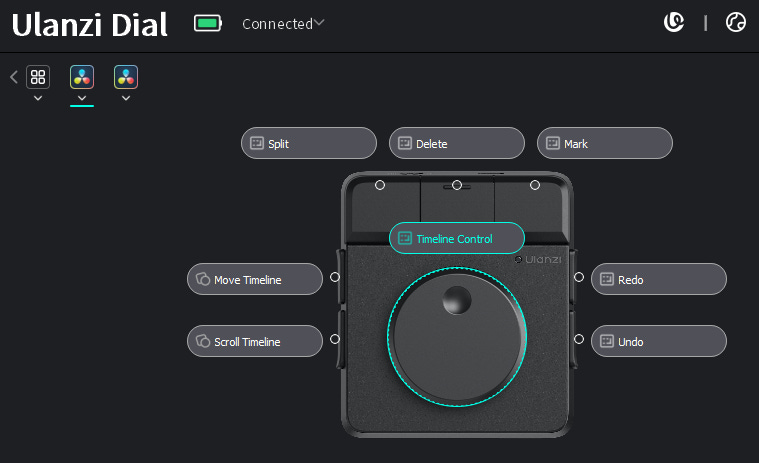
I also want to use this device with another editor, KDENLive, for which a preset isn’t available. To complicate matters I want to do this on Linux and the Ulanzi app is only available for Apple iOS and Windows.
Linux detects the Ulanzi Dial as a standard HID input controller performing media functions. Stop, Play, Fast Forward (and so on) which is actually very handy for ordinary daily usage. To replicate the behaviour in Davinci Resolve in KDENLIVE though, the dial and the keys need to be mapped to the equivalent functions in KDENLive. The tool I chose to do this is input-remapper.
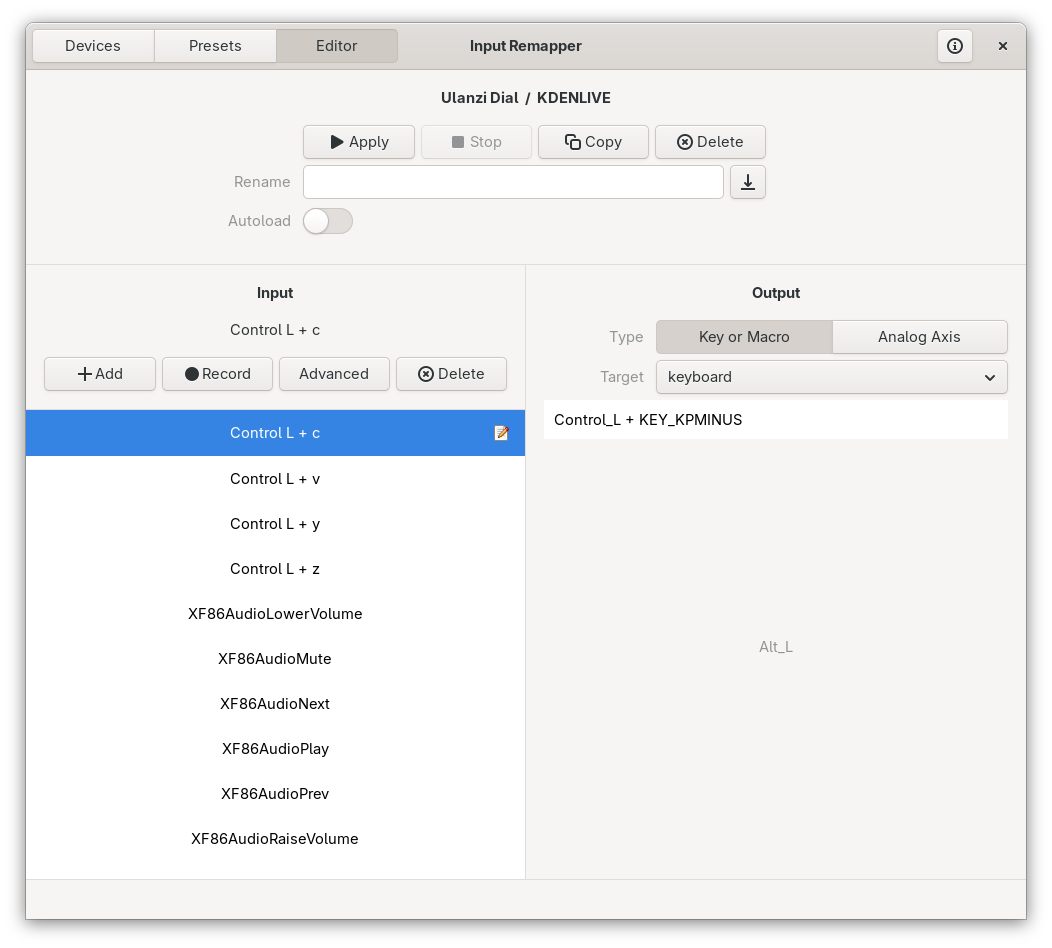
Here’s the present mappings:

..and here’s a graphical representation:
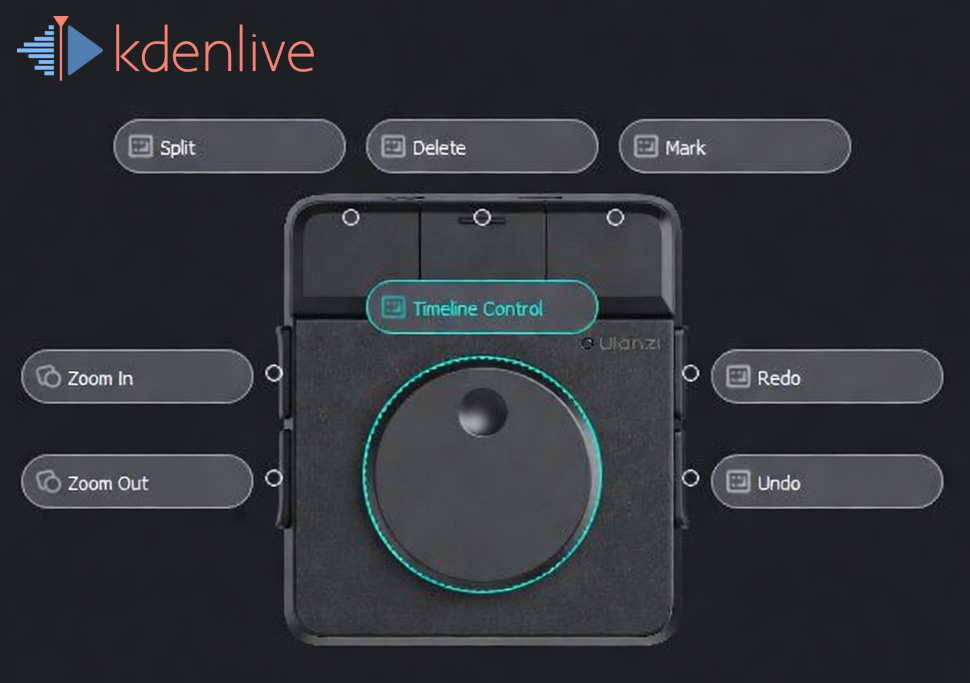
The only functional differences are the two buttons on the left side. In the Davinci Resolve preset these scroll the timeline in conjunction with the dial. I couldn’t work out how to capture this dual button functionality and I’m not sure KDENLive has an equivalent feature. It worked out for the best though as I prefer the zoom functionality anyway.
I looked around and couldn’t find a repository of custom mappings. If you know of one please feel free to add this mapping to it.
-SRA. Auckland, 11/iv 2026